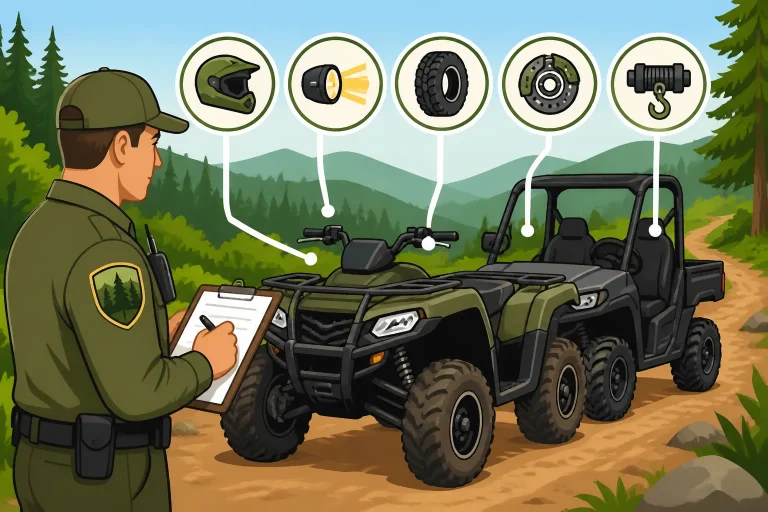
Vermont TAD for a Rented Machine
Renting an ATV or UTV in Vermont can make trail access easier, but a rental reservation alone does not give you permission to ride every corridor. Before you set off, confirm that the specific machine has the required Trail Access Decal, that its registration is in order, and that your planned route is open to it.
When a rented machine needs a Vermont TAD
A Vermont Trail Access Decal, or TAD, provides access to trails in the VASA system when the machine and rider meet the other applicable requirements. That includes eligible rental ATVs and side-by-sides: if you plan to ride one on a VASA corridor, confirm that the machine has a valid TAD attached.
The key detail is that the decal is for access to the trail system, not a substitute for registration. A machine may need both valid registration and a TAD for a VASA ride. A TAD also does not automatically authorize riding on a town road, state land, or private property outside an approved corridor. Check the machine’s registration and access requirements separately; Vermont Requires Registration Plus a TAD explains the distinction.
For visitors, a valid registration from home may be recognized for riding in Vermont, but that does not necessarily cover VASA trail access. The visitor may still need a TAD for the machine. See Vermont Out-of-State Machines Still Need a TAD and Vermont Reciprocity With Quebec if you are bringing a machine across the border rather than using a rental.
| Where you plan to ride | What to confirm |
|---|---|
| VASA corridor | The specific machine has a current TAD, and its registration is valid |
| Town road | The town has opened or designated the route, and the machine meets road-use requirements |
| Private land | You have permission from the landowner |
| State land | The route or crossing is specifically authorized for ATV or UTV use |
| Rental property or a private riding area | The operator’s rules, boundaries, and required equipment |
A TAD is not a general trail pass for every place in Vermont. Trail access can depend on the particular corridor, club rules, seasonal closures, landowner permission, and local road designations. Before booking, ask where the rental is permitted to go and whether those routes are open on your ride date.
Who provides the decal on a rental
In most rental situations, the operator manages the machine’s registration and trail-access requirements. The rental machine should be ready for the use the business advertises, but do not assume that a vehicle has a valid TAD just because it is offered for a Vermont trail ride. Ask directly, and confirm that the decal is attached to the machine you will receive.
The decal is generally treated as machine-specific access, not as a pass that a renter can move from one vehicle to another. If your reservation changes from one machine to another, check the replacement machine too. The answer for one unit does not prove that every vehicle in a rental fleet has the same current paperwork. Who Holds the TAD on a Vermont Rental Machine covers the operator-and-renter question in more detail.
Before paying or signing a rental agreement, ask the provider:
- Does the specific ATV or UTV come with a valid Vermont TAD for the planned ride?
- Is the decal attached to the machine, and can I see it at pickup?
- Is the rental allowed on the route or trail system I plan to use?
- Does the rental price include trail access, or are there separate access charges?
- Are there routes, towns, or trail sections the machine may not enter?
- If the assigned machine is changed, will the replacement have its own valid decal?
- What should I do if the decal is missing, damaged, or appears expired?
Get clear answers before leaving the pickup location. If a business says the TAD is included, ask what that means in practice: whether the decal is physically on the vehicle and whether the rental is authorized for the route you have in mind. Keep any written confirmation with your rental paperwork.
A decal’s presence is not the only thing to check. Confirm that it is current for the riding period. Vermont TADs expire on December 31, so a decal from an earlier season should not be assumed to cover a later one. The operator should be able to confirm its validity. For decal timing and placement, see Vermont TAD Expiration Date and Vermont TAD Placement on the Machine.
What to do if the rental has no TAD
If you arrive and the assigned machine does not have a visible, current TAD, pause before riding onto a VASA corridor. Do not assume that the rental agreement, a receipt, a membership card, or a decal on another machine covers the vehicle in front of you.
Ask the rental operator to resolve the issue. That may mean assigning a properly documented machine, confirming a valid decal and its status, or directing you to a different ride area where the rental is allowed. If the business cannot show that the machine is cleared for your intended route, do not ride that route while the question remains unresolved.
Buying a decal yourself may not be the right fix. A TAD may be associated with a particular machine, and the rental operator may need to handle the paperwork or provide the correct access authorization. Before purchasing anything, ask the operator whether you are expected to buy a separate TAD and whether it would apply to that rental unit. If you are unsure about a requirement, check with the relevant club or VASA before setting out.
Do not transfer a decal from one rental machine to another or alter its placement. A machine swap, a damaged decal, or a missing sticker should be handled by the operator. The practical check is that the correct machine has the right current access marking—not simply that somebody in the group has paid for a decal.
Also check the rental’s stated boundaries. A TAD does not override a closed trail, a landowner’s withdrawal of permission, or a town’s decision not to open a road to ATVs. Conditions can change, so check the route before departure rather than relying on an old map, a previous visit, or directions from another rider. Vermont Trail Closures Landowners Request explains why an accessible corridor can become unavailable.
A pre-ride checklist for renters
Use this short sequence at pickup to avoid finding out about a paperwork problem at a gate or trail junction.
- Identify the exact machine. Note the vehicle you are taking, especially if the reservation allows the operator to assign a different unit.
- Check the decal. Ask the staff member to point out the TAD and confirm it is valid for the current riding period. Details about where it belongs are in Vermont TAD Placement on the Machine.
- Confirm registration. Ask whether the machine’s registration is current and suitable for the ride. A TAD and registration serve different purposes.
- Name your planned route. Ask whether that specific rental is permitted on it, and whether any part of the trip uses a town road, private corridor, or state land.
- Ask about changes and closures. Find out how to check conditions during the day and what to do if a route is closed.
- Clarify fees and responsibility. Confirm whether trail access is included, whether any separate charge applies, and who handles a paperwork issue.
- Keep the rental information with you. Carry the documents or instructions the operator provides, and follow any requirements for carrying proof of registration or insurance.
The operator should also explain the rental’s operating rules, passenger limits, permitted routes, and what to do after a breakdown or collision. Trail-access paperwork does not replace those safety and contract requirements. For related rental questions, see Vermont Rental Insurance and Deposits and Vermont Rental Passenger Rules.
If you are riding with a group, check each machine individually. A properly marked lead vehicle does not make the rest of the group’s machines compliant. The same is true if one person has a personal TAD: it does not automatically provide access for a rented vehicle.
The simplest approach is to treat the TAD as a machine-level check that the rental operator should answer before the ride. Ask early, verify the decal on the actual machine at pickup, and match your route to the access you have. If an operator cannot confirm that the rental is authorized for a VASA corridor, stay off that corridor until the issue is resolved.
Disclaimer
This article is for general informational purposes only and does not constitute professional advice. Laws, prices and regulations vary by location and change over time. Consult a qualified professional for guidance on your specific situation.